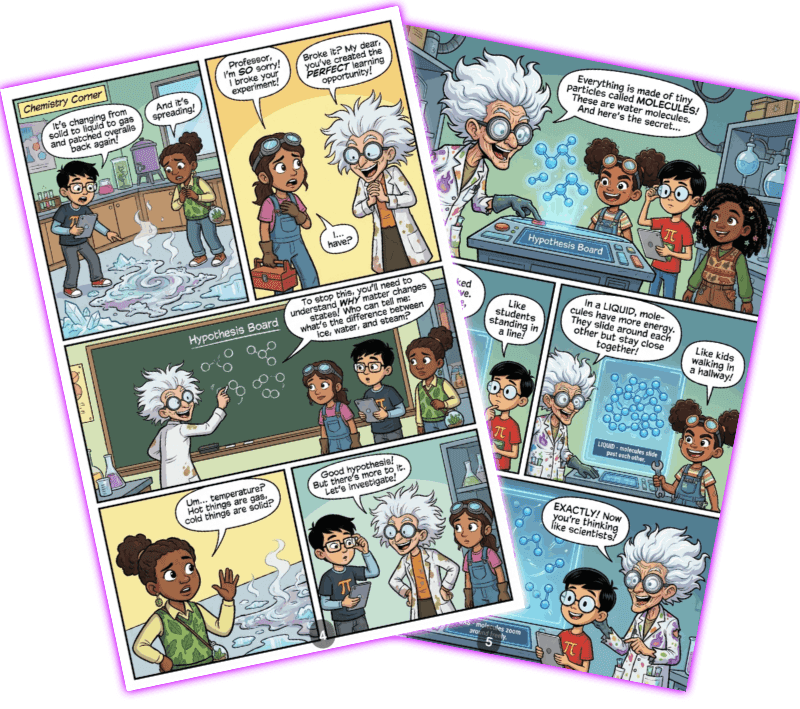
Creating a comic book used to require years of drawing practice and expensive tools. With ComicInk, anyone can bring their stories to life with AI-generated artwork in minutes. Here's how to get started.
Create Your Characters
Every great comic starts with memorable characters. In ComicInk, you describe your characters using text — their appearance, personality, and style — and the AI generates consistent visual references for each one.
- Name and description — Give your character a name and a brief backstory
- Visual details — Describe their look: hair color, clothing, build, distinguishing features
- Structured attributes — Use the age group, body type, and ethnicity fields to guide the AI for more accurate results
Once generated, your character references are used throughout the comic to maintain visual consistency from page to page. This is one of ComicInk's most powerful features — your hero looks the same in every panel.
Write Your Story
ComicInk includes an AI story generator that turns your premise into a full comic script. Just provide:
- A short synopsis or plot idea
- The number of pages you want
- Your preferred genre and art style
The AI produces a panel-by-panel script with dialogue, action descriptions, and layout suggestions. You can review and edit every line before moving to artwork generation — the story is always yours to shape.
Generate Your Pages
With your script and characters ready, ComicInk generates each page as a fully composed comic panel layout. The AI handles:
- Panel composition — Dynamic layouts with action scenes, dialogue exchanges, and splash pages
- Speech bubbles — Dialogue is placed directly into the artwork
- Art style consistency — Your chosen style (manga, superhero, indie, noir, and more) is maintained across all pages
You can regenerate any individual page if you want a different take, or tweak the prompt to adjust specific details. ComicInk offers two generation modes:
| Mode | Best For | Cost |
|---|---|---|
| Express | Drafts, storyboarding, rapid iteration | 25 credits/page |
| Pro | Final artwork, publishing | 50 credits/page |
Start with Express to experiment, then switch to Pro for your final pages.
Add a Cover
Your cover is the first thing readers see. ComicInk generates a cover based on your story and characters, capturing the tone and energy of your comic. You can generate multiple options and pick your favorite.
Publish and Share
When you're happy with your comic, publish it directly from ComicInk. Your comic gets a shareable link that anyone can read in the built-in flipbook reader — no downloads or apps required.
You can also:
- Share to social media with one click
- Download a PDF for printing or offline reading
- List your comic in a Creator Store to sell directly to readers and earn 70% of every sale
Tips for Great Results
Start with character references. Generating character avatars first dramatically improves consistency across pages.
- Be specific in your descriptions. The more detail you give the AI, the better the output.
- Start with Express mode to iterate quickly, then switch to Pro for final artwork.
- Edit your script. The AI story is a starting point — tweak dialogue and pacing to make it yours.
- Try different art styles. ComicInk supports dozens of styles. Experiment to find the one that fits your story.
Start Creating Today
ComicInk gives you everything you need to go from idea to published comic in a single session. Sign up for free and get 200 credits to create your first comic — no drawing skills required.